Digi Dialler (DTV Module)
921 DTV Module
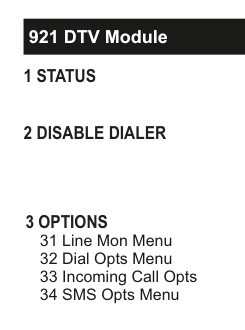
Menu tree diagram for the DTV Module (921):
921 DTV Module1 STATUS2 DISABLE DIALER3 OPTIONS31 Line Mon Menu32 Dial Opts Menu33 Incoming Call Opts34 SMS Opts Menu
1 Status
Gives a quick overview of real time conditions for instance whether the telephone line has a fault.
2 Disable Dialer
By default the dialer is disabled. This saves power. As soon as you attempt to program the dialer you will be prompted to enable the dialer.
3 Options
31 Line Mon Menu
The Line Mon Menu has three sections:
Line Mon On (Line Monitor On) enables the line monitor circuitry.
OH Monitor (Off-Hook Monitor) enables off-hook detection circuitry to generate a line fault if the line voltage falls below 15Vdc. Line voltage is nominally 48Vdc.
OH-LF(Unset) (Off-Hook Line Fault when Unset), if disabled, will not generate a line fault when the phone line is off-hook and when the panel is unset. When the panel is set and the phone is off-hook a line fault will be generated.
32 Dial Opts Menu
The Dial Opts Menu has two sections:
In Dial Tone, each phone can be individually enabled, by selecting YES, to wait for a dial tone before the digi proceeds to make a call. They are all set to YES by default.
In PABX Prefix, if you key-in a number, it will put at the start of the pre-programmed phone numbers. For example, if a pre-programmed phone number is 014567007 and the PABX Prefix is 9 then the digi will dial 9014567007.
There will be a 3 second pause between the PABX Prefix and the rest of the phone number.
The system knows to drop the PABX Prefix if the call is routed via the GSM network instead.
If you want to clear the number in PABX Prefix, press NO.
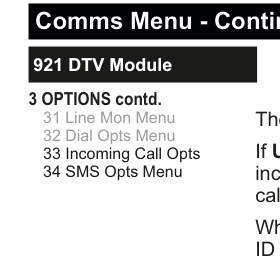
Menu tree diagram for the DTV Module options continued:
921 DTV Module3 OPTIONS contd.31 Line Mon Menu32 Dial Opts Menu33 Incoming Call Opts34 SMS Opts Menu
33 Incoming Call Opts
The Incoming Call Opts menu has three sections:
If Use Caller ID is selected then the system will try and retrieve incoming caller ID and decide if the call is to be answered, called back or ignored.
When sharing a line with a fax (or similar equipment) and caller ID cannot be used, the Line Share option can be used as a way to enable the modem to answer the phone line. When set, the modem will answer the phone if it rings, stops ringing and then rings again after a 40 second gap.
RingsB4Ans (Rings Before Answer) is the number of times the phone rings before the Digi automatically picks up the line and attempts to talk to SmartLink700. Default is 00 which means the Digi never automatically answers.
34 SMS Opts Menu
The SMS Opts Menu has two sections:
eir discontinued the landline SMS service in Ireland in 2015. Go to our securecomm.hkc.ie portal and select the SecureText service instead.
The Enabled section is where you can turn the SMS feature ON and OFF. By default, it is ON.
Regarding Server Number; unless you are in the UK, it is not recommended to change this phone number. It is used for SMS messaging on landlines. In the UK, when you change this number you will have a choice of either the TAP or ETSI protocols - please check with your service provider.